
iPhone & iPad
iOS 17 / iPadOS 17 or later
Your own IDFA and the collection of your test devices, always at hand.
- View & copy your own ID
- Show & scan QR codes
- Manage Pockets and platforms
For your development. For your test devices.
Copy identifiers, name your devices and keep track. IDFA Pocket turns long advertising IDs into an organised collection.
Available on the App Store
For iPhone, iPad and Apple TV · English & German
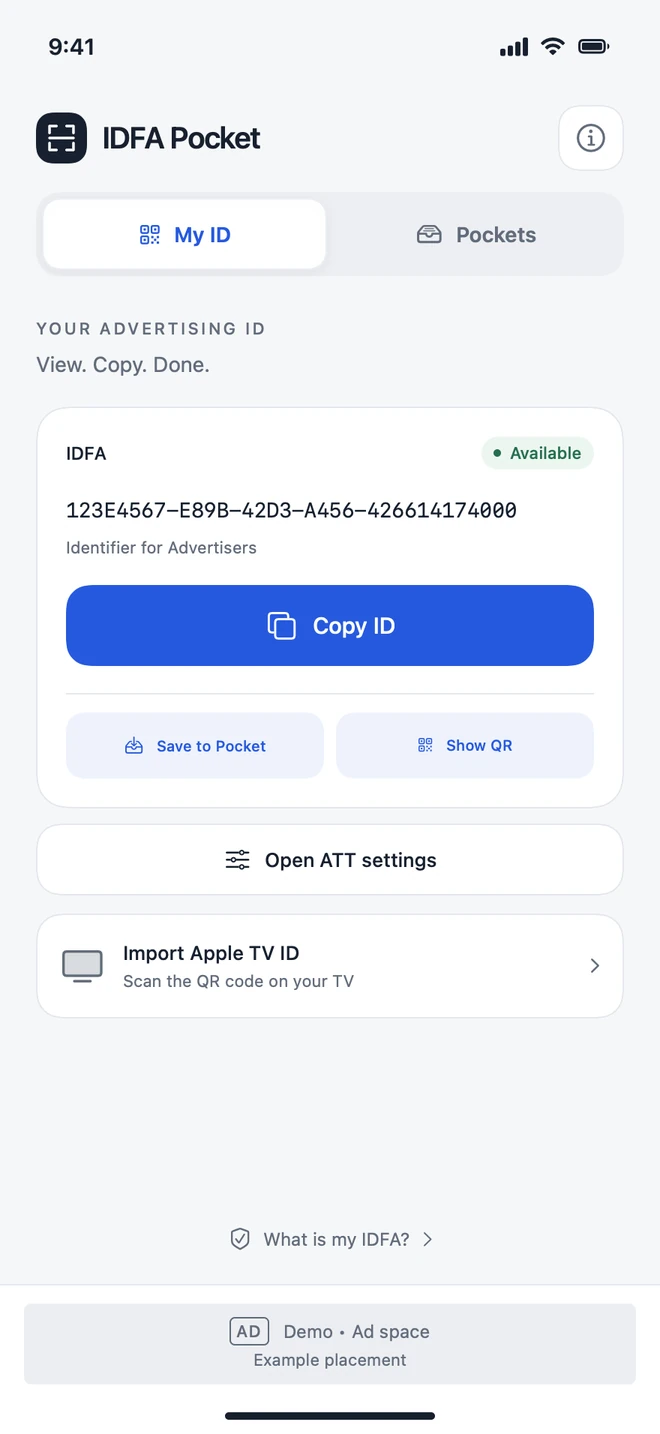
Your identifier, ready when you need it.
QR codes keep IDs and devices together.
Your Pockets across your devices.
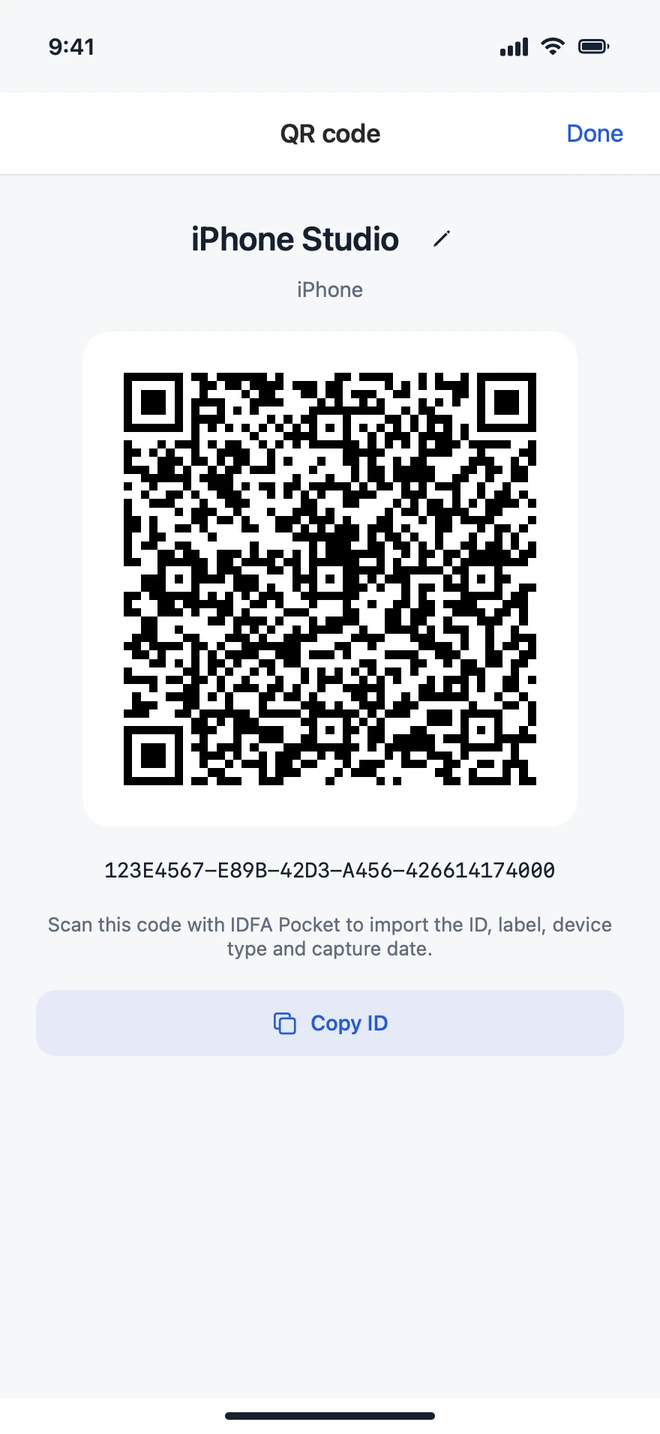
One identifier. One clear name.
Your own iPhone or the Apple TV in your test setup: give each ID a name and find it again in your Pockets.
After you grant tracking permission, the app shows the IDFA of your iPhone or iPad. Copy it with a tap.
Associate identifiers with devices. IDs added manually or imported from a QR code remain editable.
Show an ID and device name as a code, or scan one on iPhone and iPad. No typing and no shared iCloud account required.
Apple TV → iCloud → iPhone & iPad
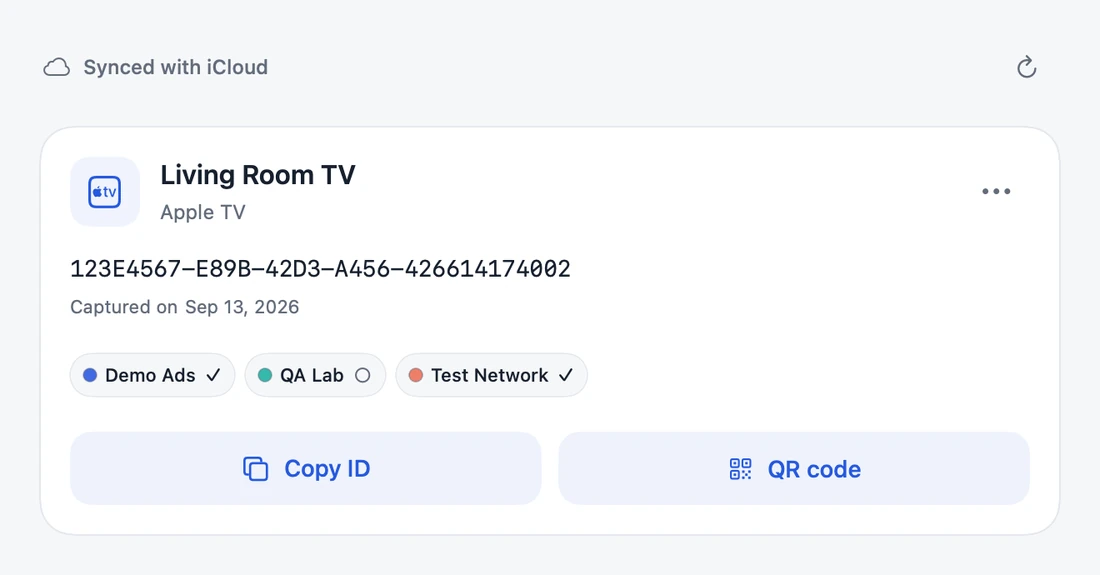
Save the TV ID directly to Pocket. Find the same entry on iPhone and iPad, complete with its name, platform colours and your checkmarks.
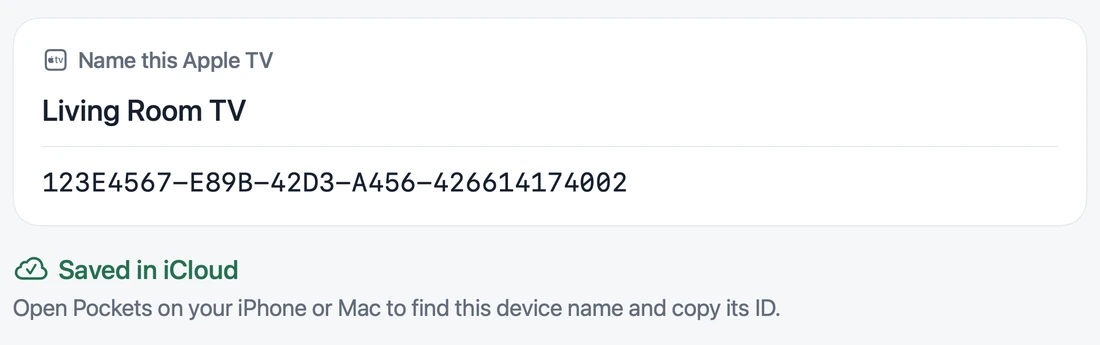
One shared iCloud accountUse the same iCloud account on the participating devices. On Apple TV, the selected user counts. Sync requires iCloud and an internet connection.
Complete without a MaciPhone, iPad and Apple TV work together directly. You can also transfer the TV ID by QR code. Apple TV does not have a copy function.
Both views show the same fictional TV entry. Saved IDs are snapshots and do not automatically update when a device’s ID changes.
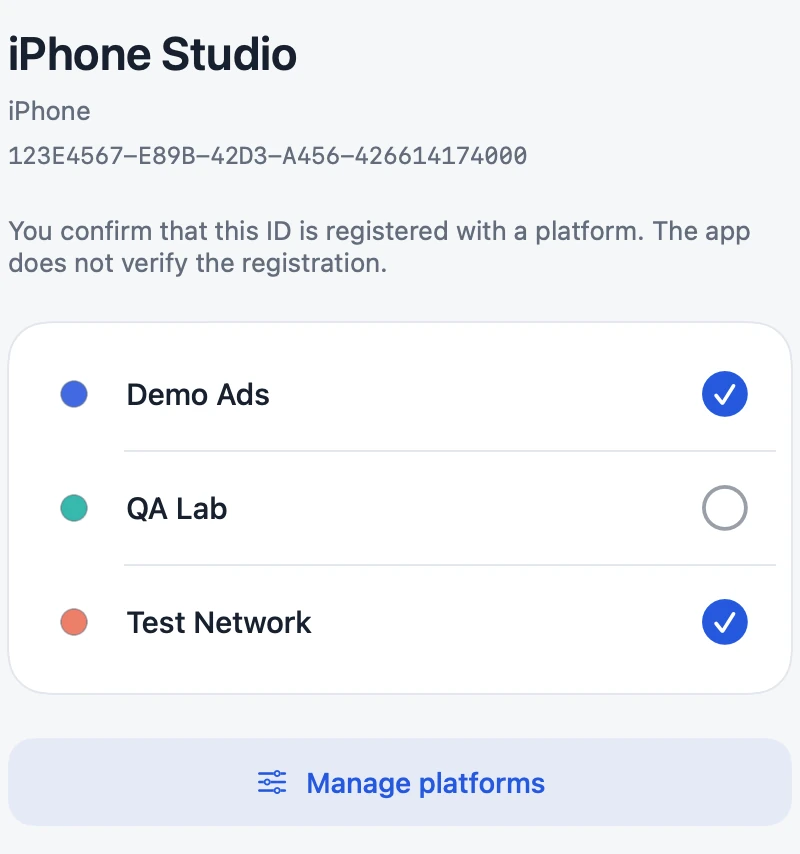
Your personal platform checklist
Create your platforms and mark where you have already registered each ID. Clear names, colours and checkmarks help you find your way.
Choose a preset, use the colour wheel or enter a HEX value.
Your checkmarks sync alongside your Pockets.
You set the checkmarks yourself. IDFA Pocket does not register devices with ad networks or verify any registration.
On the devices that fit
View IDs where they originate. Manage them where you work.
iOS 17 / iPadOS 17 or later
Your own IDFA and the collection of your test devices, always at hand.
tvOS 17 or later
Your Apple TV’s ID on the big screen. Save it directly or transfer it by QR code.
macOS 14 or later · Optional
After unlocking, use the full Mac app: your collection in a window and within easy reach in the menu bar.
€9.99 once in the German App Store. In other regions, the price shown in the store applies.
A usable device IDFA requires Apple’s tracking permission. Without permission, you can still manage saved Pockets and import QR codes on iPhone and iPad.
Find answers about IDFA, QR codes and iCloud in Support.